Tutto ciò che ti serve,
ottimizzato per il touchEverything you need,
optimised for touch
Ogni funzione di MeshCentral riprogettata per essere immediata, reattiva e precisa anche su uno schermo da 6 pollici o su un tablet.
Every MeshCentral feature redesigned to be immediate, responsive, and precise even on a 6-inch screen or a tablet.
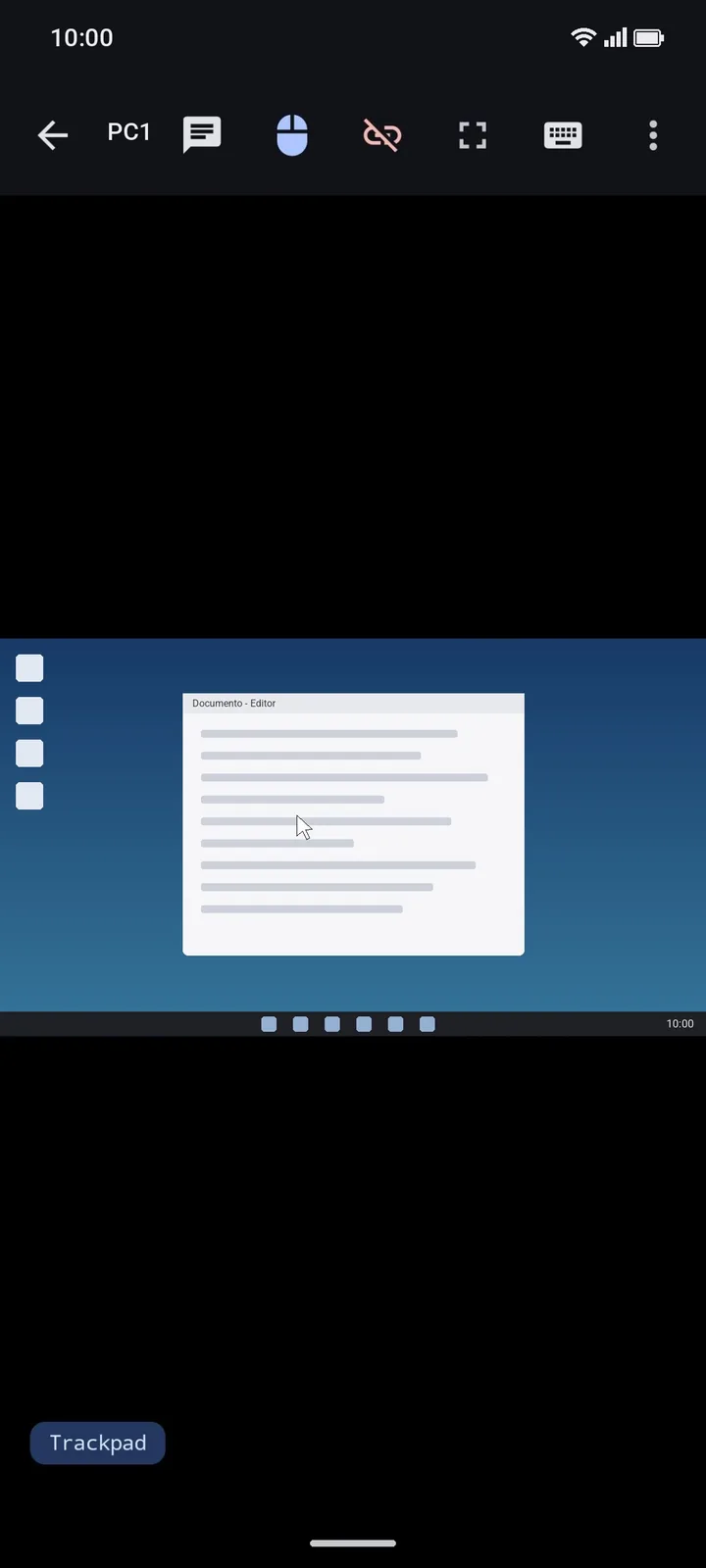
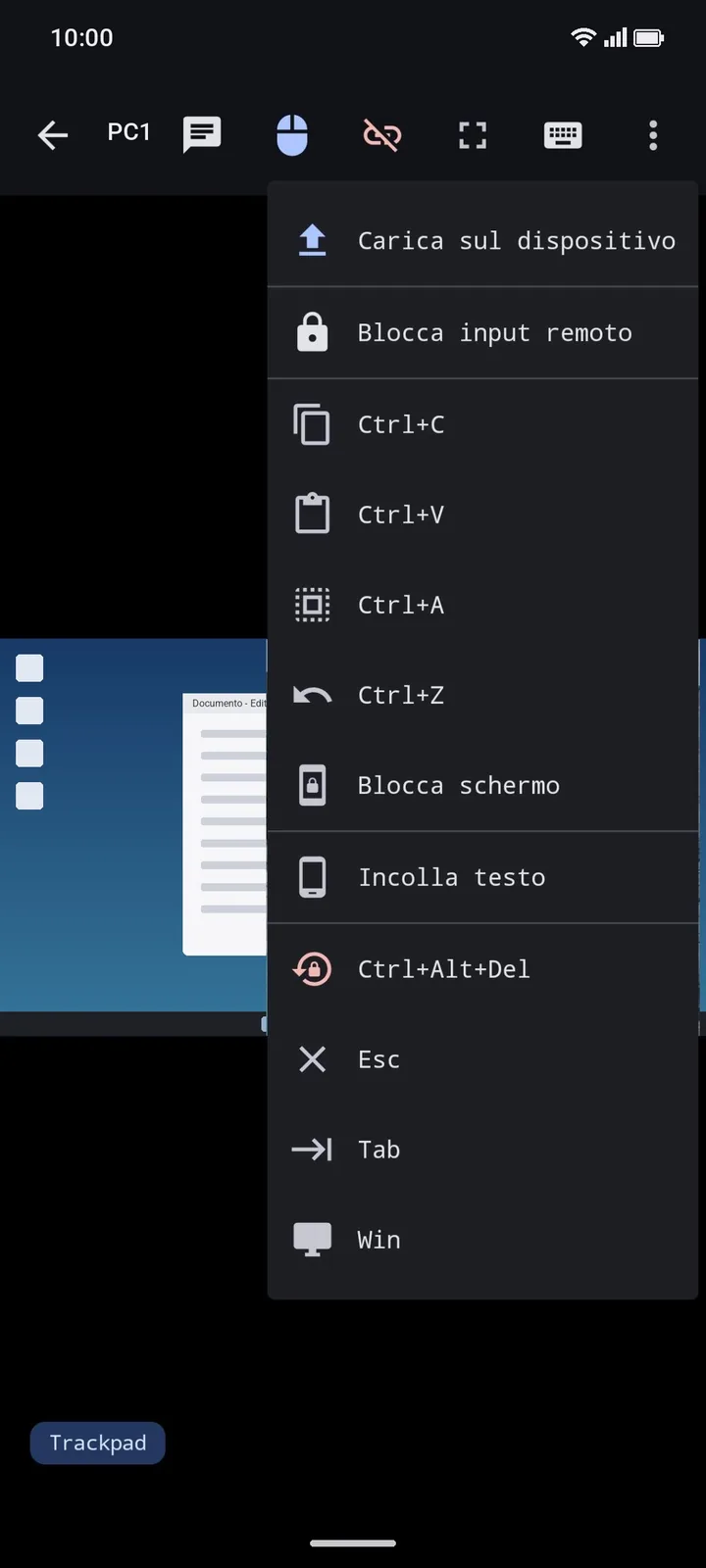
Controllo touch o in modalità trackpad, schermo intero, tastiera sovrapposta e tasti speciali. Blocca input e schermo del PC, lavora in sola visualizzazione o chiedi prima il consenso.
Touch or trackpad control, full screen, overlay keyboard and special keys. Lock the PC's input and screen, work view-only or ask for consent first.
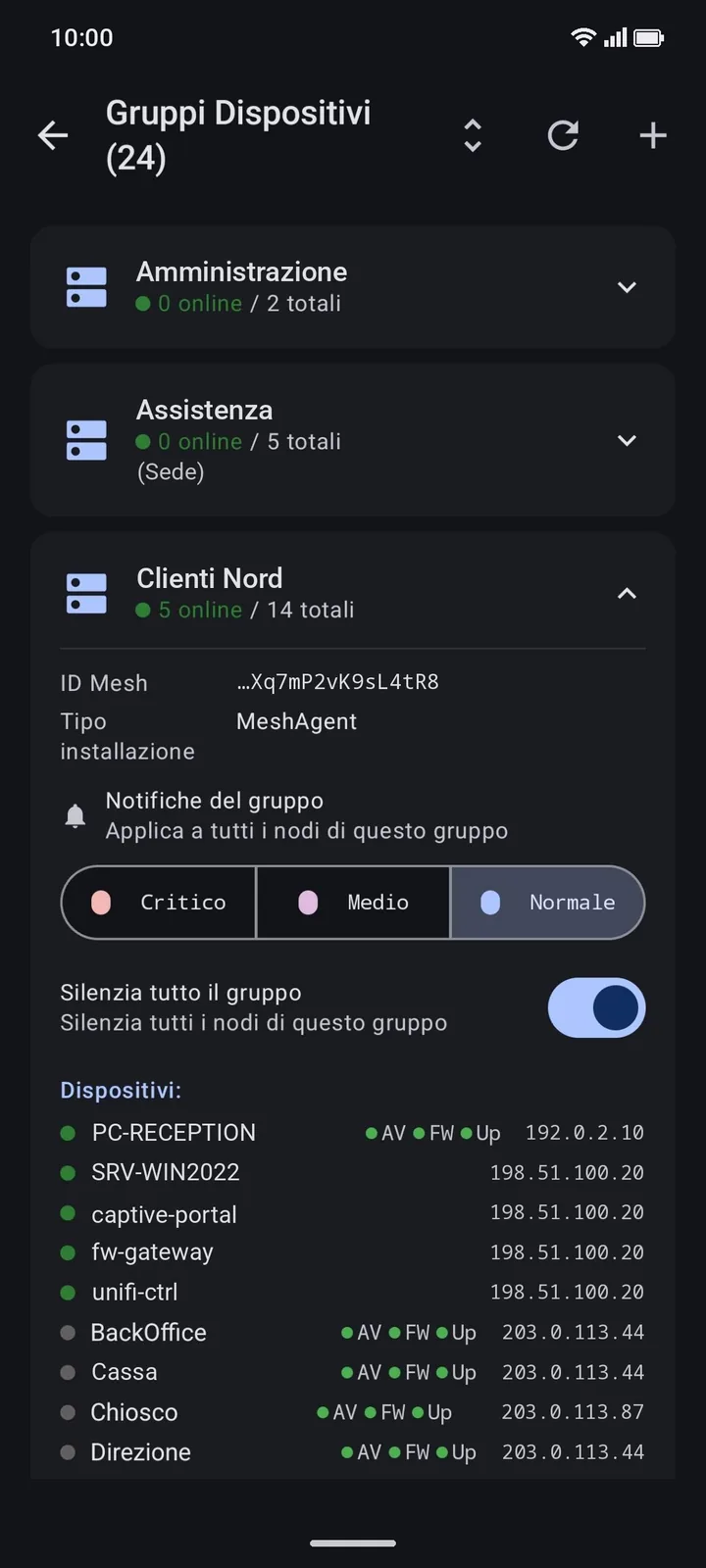
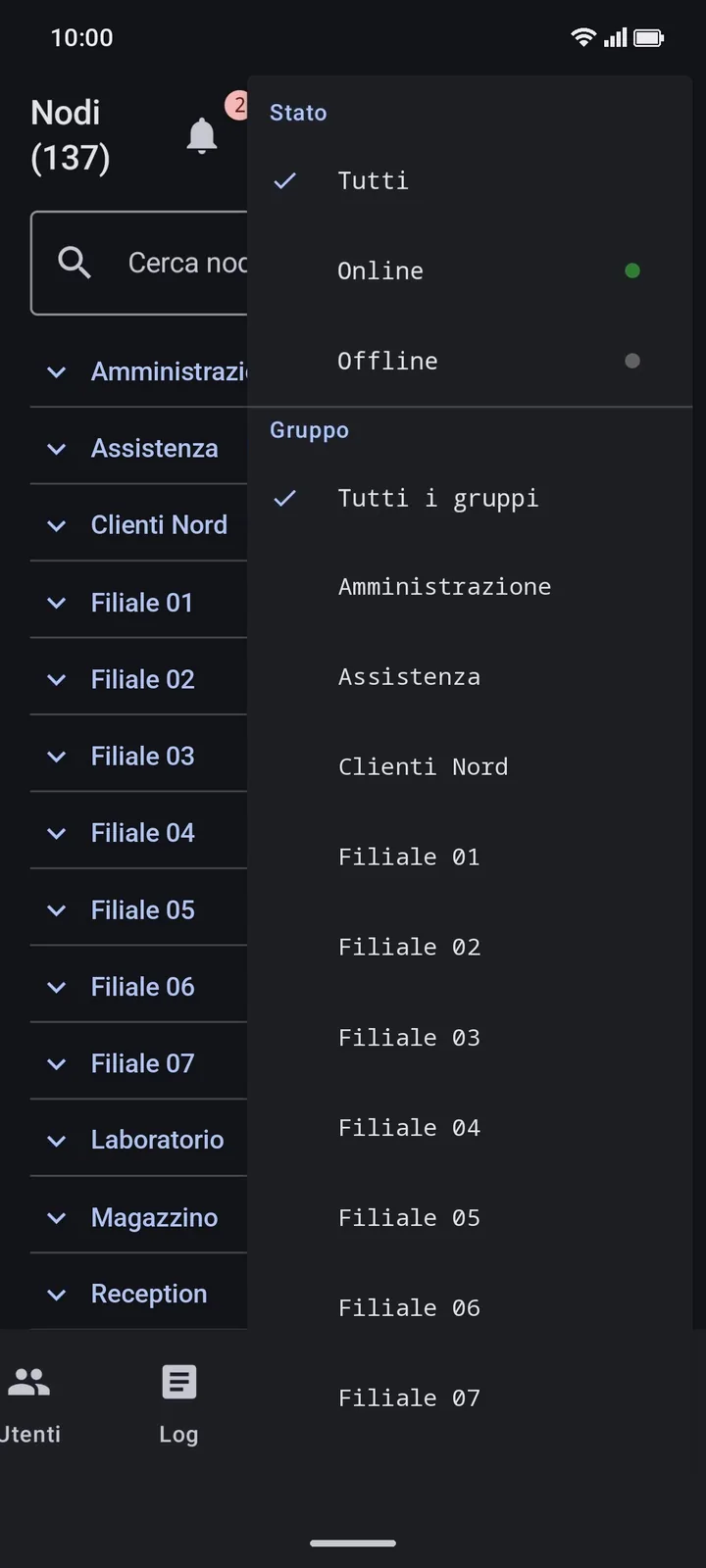
Tutti i nodi con ricerca e filtri per stato e gruppo. Per i PC Windows: antivirus, firewall e aggiornamenti (Security Center); spazio sui dischi nella card Volumi.
All nodes with search and filters by status and group. For Windows PCs: antivirus, firewall and updates (Security Center); disk space in the Volumes card.
KVM, Shell, SSH e Console restano aperte quando torni indietro. In sottofondo la KVM mette in pausa lo stream: nessun consumo di dati. Tutto dalla pagina Sessioni.
KVM, Shell, SSH and Console stay open when you go back. In the background the KVM pauses the stream: no data used. Everything from the Sessions page.
Shell dell'agent, Console MeshCentral e SSH tramite il server (con accesso automatico) o diretto. Se la connessione cade, si riconnette senza perdere il testo.
Agent shell, MeshCentral Console and SSH through the server (with automatic login) or direct. If the connection drops, it reconnects without losing the text.
Naviga le cartelle remote e trasferisci file nei due sensi. Carica file dal telefono anche durante una sessione KVM o terminale, senza chiuderla.
Browse remote folders and transfer files both ways. Upload files from your phone even during a KVM or terminal session, without closing it.
Chat in tempo reale per il contatto diretto durante il supporto degli utenti finali.
Real-time chat for direct contact during end-user support sessions.
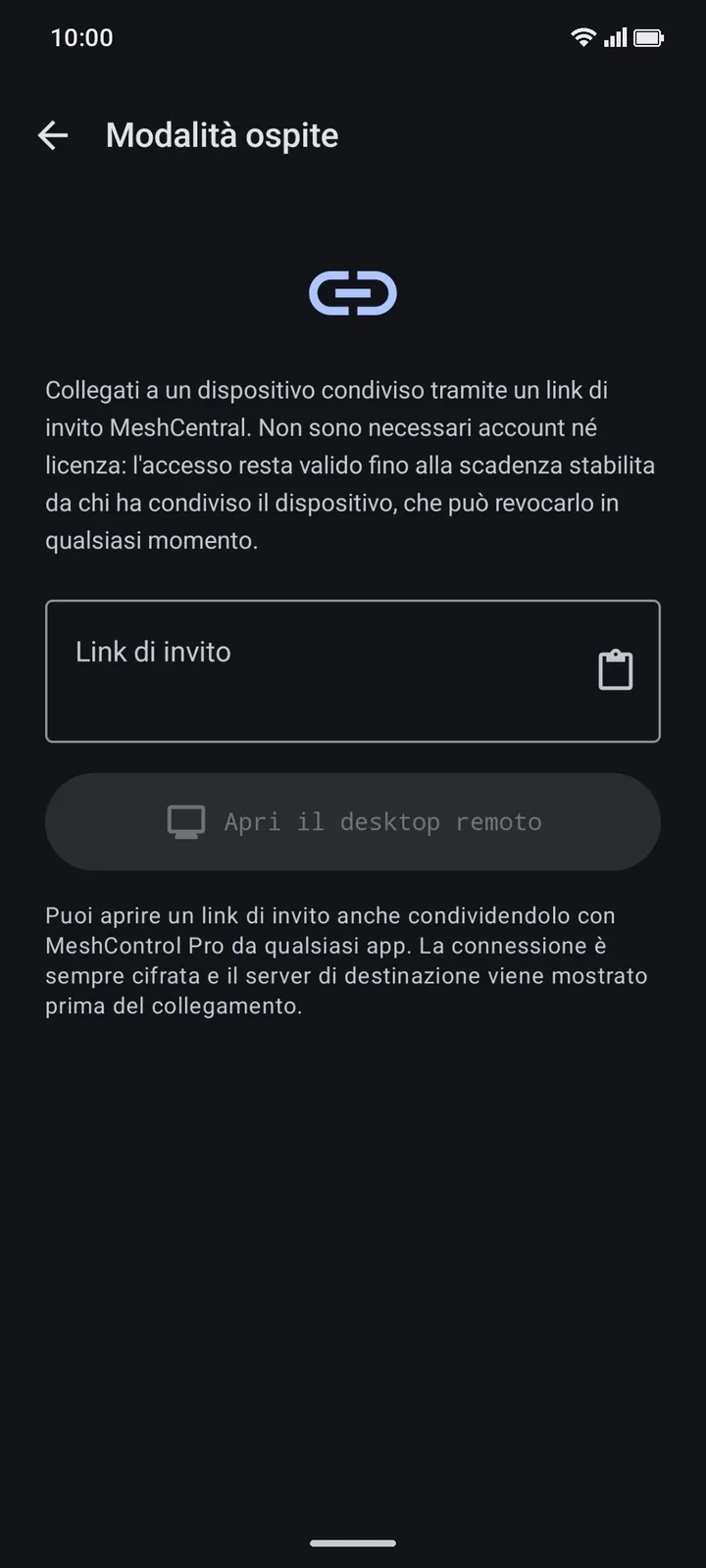
Condividi un PC con un link a tempo: desktop, sola visualizzazione, terminale o file, con scadenza, consenso dell'utente e revoca. Chi riceve il link entra gratis, senza account né licenza.
Share a PC with a time-limited link: desktop, view-only, terminal or files, with expiry, user consent and revocation. Recipients join for free, with no account or licence.
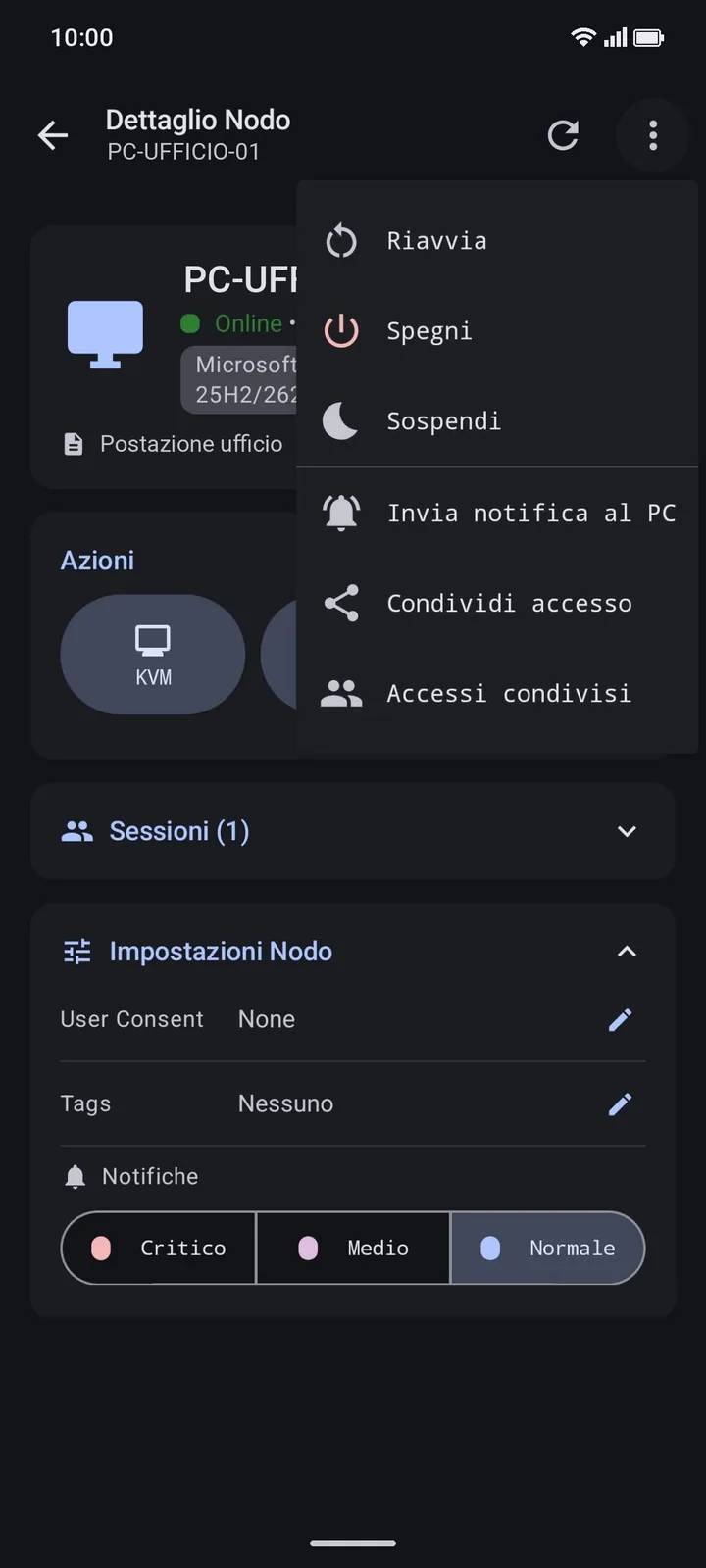
Accensione con Wake-on-LAN, riavvio, spegnimento e sospensione con conferma, notifica sul desktop del PC e link di invito per installare l'agent.
Wake-on-LAN power-on, restart, shutdown and sleep with confirmation, desktop notifications on the PC and invite links to install the agent.
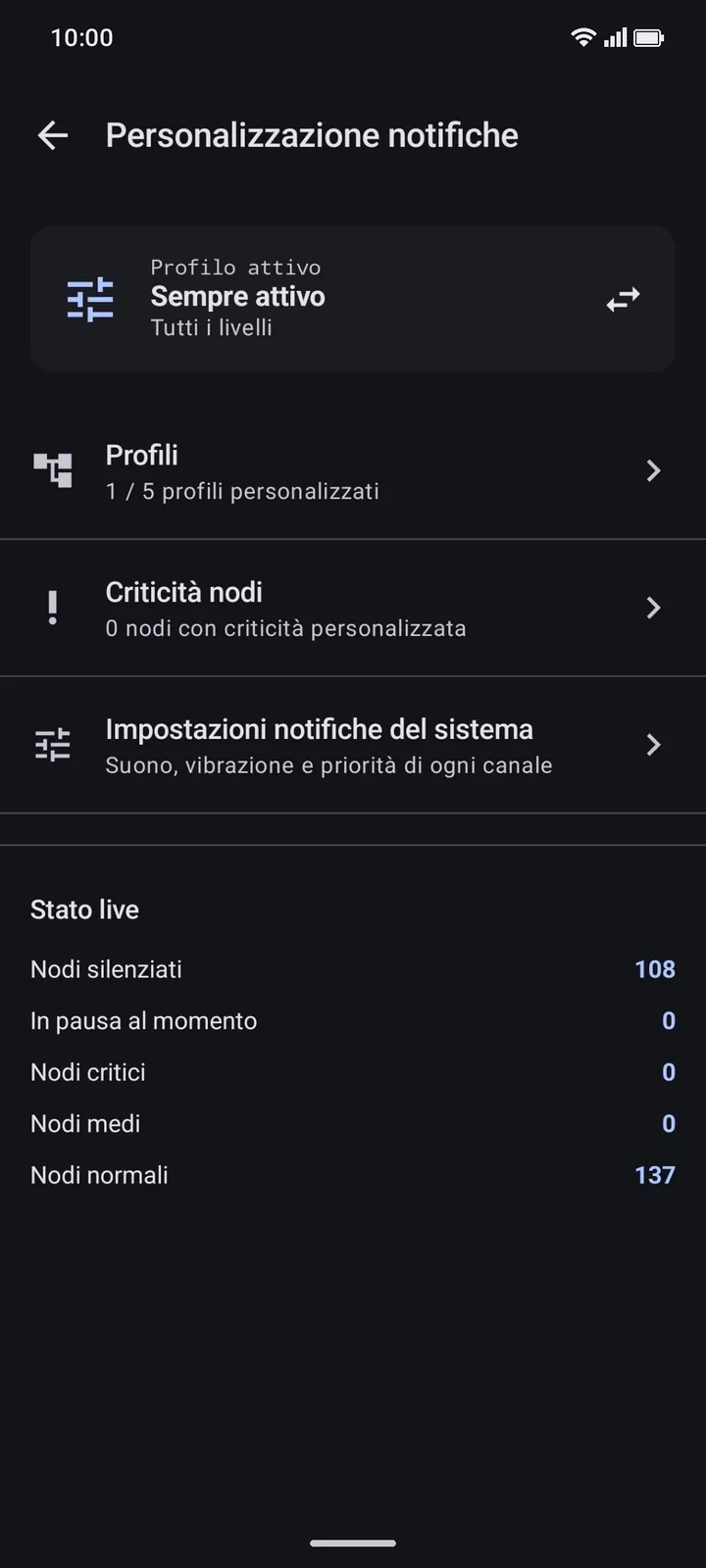
Eventi dei nodi, alert di sicurezza e messaggi chat anche con l'app chiusa. Criticità per nodo, gruppo o tag, profili, ore silenziose e snooze.
Node events, security alerts and chat messages even with the app closed. Criticality per node, group or tag, profiles, quiet hours and snooze.
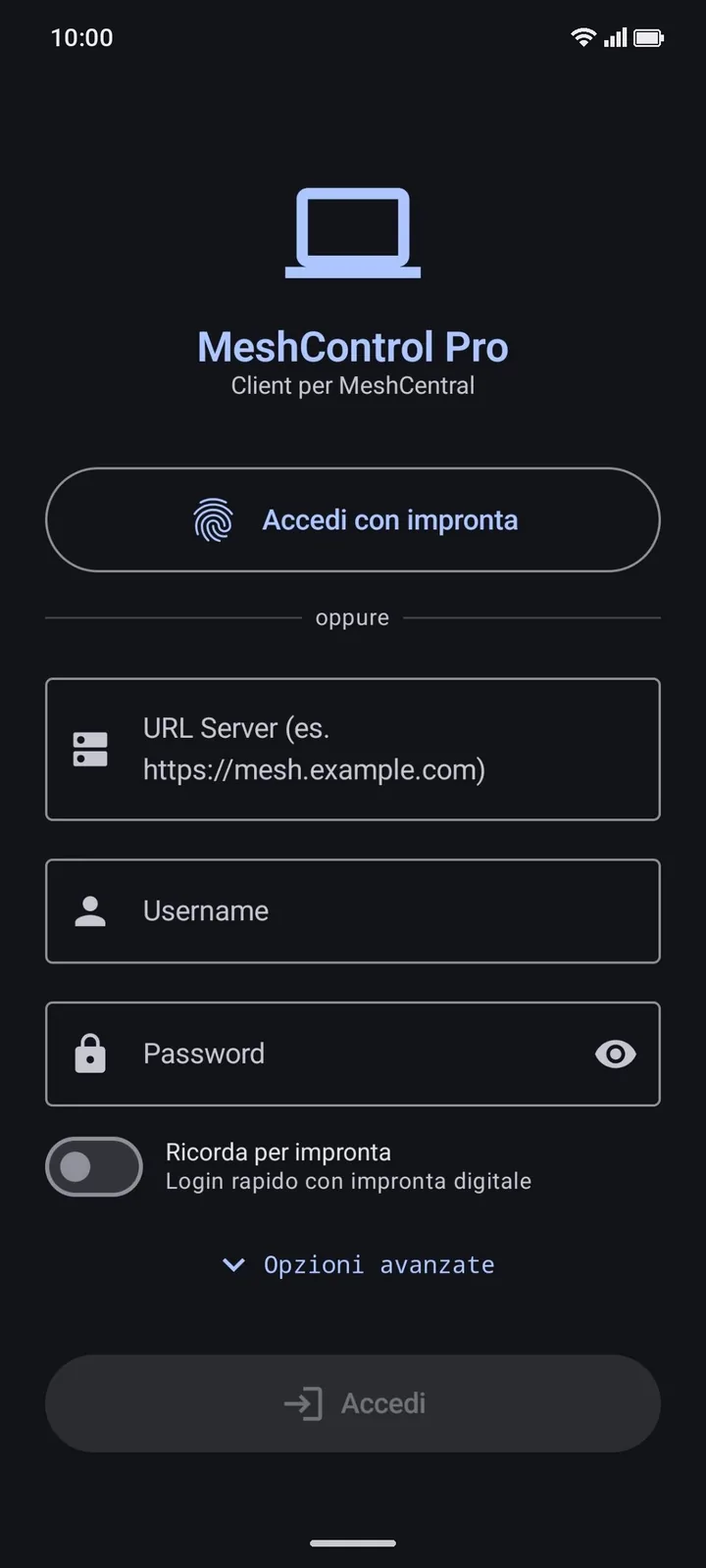
Login con impronta, blocco dell'app con impronta o PIN, blocco degli screenshot nelle schermate sensibili, 2FA (TOTP) e certificati self-signed con verifica dell'impronta.
Fingerprint login, app lock with fingerprint or PIN, screenshot blocking on sensitive screens, 2FA (TOTP) and self-signed certificates with fingerprint verification.
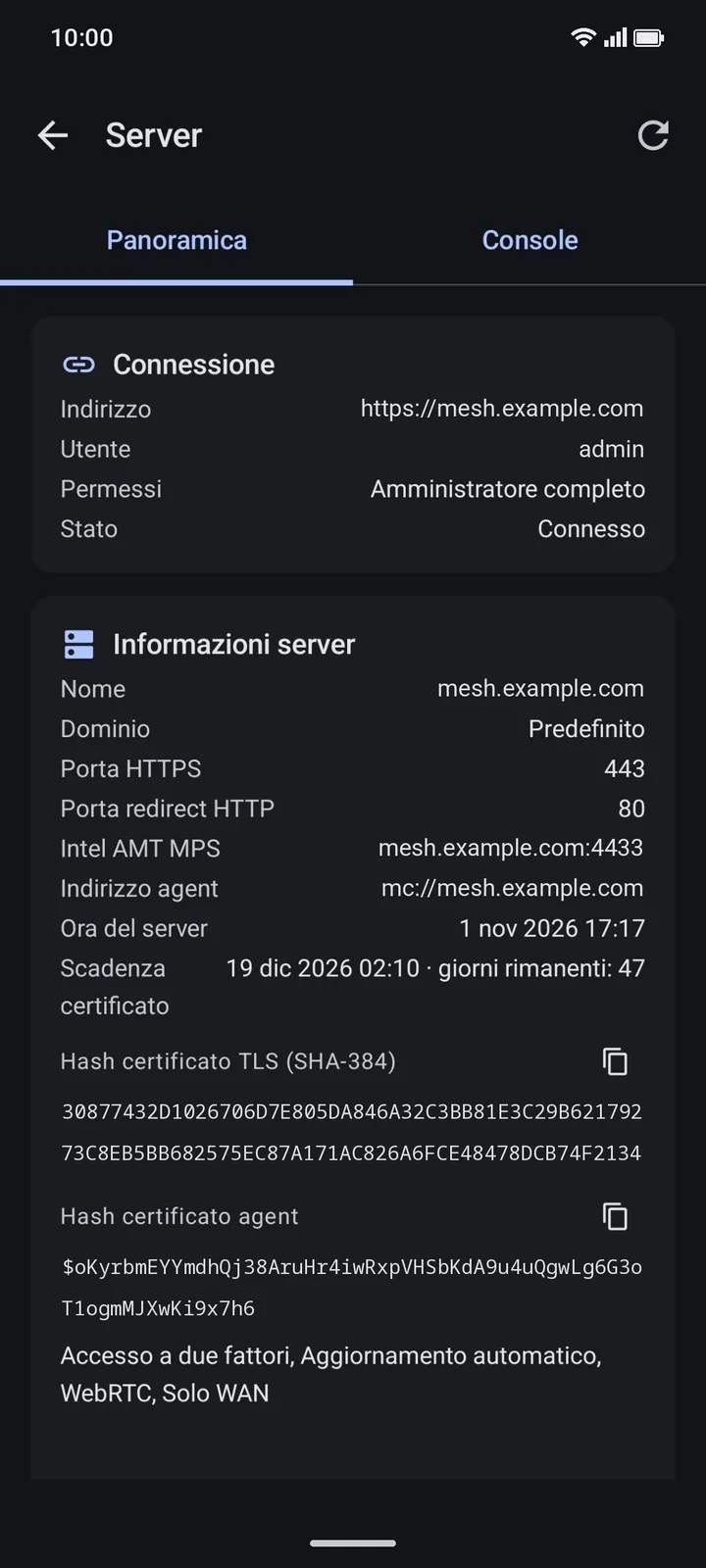
Più istanze MeshCentral salvate, con panoramica e console del server. Per gli amministratori: utenti, gruppi utenti, gruppi di dispositivi e log.
Several saved MeshCentral instances, with server overview and console. For administrators: users, user groups, device groups and log.
Interfaccia per smartphone e tablet, tema di sistema, chiaro o scuro, schermo sempre acceso durante gli interventi, in italiano e in inglese.
Interface for phones and tablets, system, light or dark theme, screen always on during interventions, in Italian and English.
L'app in azioneThe app in action
Un'interfaccia progettata per essere chiara e immediata, anche durante gli interventi più urgenti.
An interface designed to be clear and immediate, even during the most urgent interventions.
Perché non basta
aprire il browserWhy the browser
isn't enough
Il browser è una soluzione di ripiego. MeshControl Pro è progettata esclusivamente per chi lavora da mobile.
The browser is a fallback. MeshControl Pro is designed exclusively for those who work from mobile.
| AspettoFeature | 🌐 Browser WebWeb Browser | 📱 MeshControl Pro CONSIGLIATORECOMMENDED |
|---|---|---|
| Esperienza utenteUser experience | ✕Interfaccia desktop adattata, controlli piccoli e imprecisiAdapted desktop UI, small and imprecise controls | ✓UI nativa ottimizzata per il touch, su smartphone e tabletNative touch-optimised UI, on phones and tablets |
| AccessoSign-in | ✕Password del server o sessione salvata nel browser, un server per schedaServer password or browser-saved session, one server per tab | ✓Sblocco con impronta e più server salvati, da cambiare con un toccoFingerprint unlock and multiple saved servers, switched with one tap |
| SessioniSessions | ✕Passando a un'altra app la scheda può essere chiusa o ricaricataSwitching apps can close or reload the tab | ✓KVM e terminali restano aperti e si riprendono dalla pagina SessioniKVM and terminals stay open and resume from the Sessions page |
| Desktop remotoRemote desktop | ✕Mouse e tastiera da PC adattati allo schermo touchPC mouse and keyboard squeezed onto a touch screen | ✓Gesti touch, schermo intero e tastiera sovrapposta con tasti specialiTouch gestures, full screen and overlay keyboard with special keys |
| NotificheNotifications | ✕Nessun avviso quando il browser è chiusoNo alerts when the browser is closed | ✓Notifiche push con profili, criticità e ore silenziosePush notifications with profiles, criticality and quiet hours |
Integrazione perfetta,
zero modifiche al serverPerfect integration,
zero server changes
L'app si connette al tuo MeshCentral esistente usando le stesse API REST e WebSocket della console web. Nessuna configurazione aggiuntiva richiesta.
The app connects to your existing MeshCentral using the same REST and WebSocket APIs as the web console. No additional configuration required.
- Nessuna modifica al serverNo server modificationsL'app usa le stesse API già attive. Se la console web funziona, funziona anche l'app.The app uses the same already-active APIs. If the web console works, the app works too.
- Compatibilità immediataImmediate compatibilityFunziona con MeshCentral 1.1.0 o successivo (consigliato), anche dietro reverse proxy.Works with MeshCentral 1.1.0 or later (recommended), including behind a reverse proxy.
- Zero cloud di terze partiZero third-party cloudSchermo, terminale e file transitano solo tra il tuo server e il tuo dispositivo. Al nostro server arriva solo la verifica della licenza. Nessuna telemetria.Screen, terminal and files travel only between your server and your device. Our server only receives the licence check. No telemetry.
- Multi-server nativoNative multi-serverGestisci più istanze MeshCentral con un rapido switch dall'app.Manage multiple MeshCentral instances with a quick switch from the app.
Sicurezza enterprise,
senza compromessiEnterprise security,
without compromise
Ogni livello dell'app è progettato per proteggere l'accesso alle tue infrastrutture, ovunque tu sia.
Every layer of the app is designed to protect access to your infrastructure, wherever you are.
Il traffico tra l'app e il tuo server MeshCentral viaggia su HTTPS, anche su reti pubbliche. I link http vengono sempre aperti in https.
Traffic between the app and your MeshCentral server travels over HTTPS, even on public networks. http links are always opened as https.
Supporto per certificati self-signed e privati: l'app mostra l'impronta SHA-256 e chiede una conferma esplicita. Compatibile con infrastrutture private e VPN aziendali.
Support for self-signed and private certificates: the app shows the SHA-256 fingerprint and asks for explicit confirmation. Works with private infrastructures and corporate VPNs.
L'app può chiedere impronta o PIN quando torni dopo 5 minuti in background e bloccare screenshot, registrazione e anteprima nelle schermate sensibili (shell, KVM, login, setup MFA).
The app can ask for fingerprint or PIN when you return after 5 minutes in the background, and block screenshots, screen recording and previews on sensitive screens (shell, KVM, login, MFA setup).
Accesso con la chiave ?key= del server: un link meshcentral://host?key=… apre l'app già configurata.
Sign in with the server's ?key= key: a meshcentral://host?key=… link opens the app already configured.
Prima di collegarti al desktop puoi chiedere il consenso all'utente. I link ospite hanno scadenza e si revocano in qualsiasi momento.
Before connecting to the desktop you can ask the user for consent. Guest links expire and can be revoked at any time.
Il cookie ospite resta solo in memoria e si cancella all'uscita. Certificati separati da quelli dei server salvati, chat disattivata, schermata del link protetta da screenshot.
The guest cookie lives in memory only and is wiped on exit. Certificates kept separate from saved servers, chat disabled, link screen protected from screenshots.
Progettata per chi
lavora sul campoDesigned for those
who work in the field
Che tu gestisca una rete enterprise o il tuo homelab, MeshControl Pro è lo strumento che mancava nella tua tasca.
Whether you manage an enterprise network or your homelab, MeshControl Pro is the tool that was missing from your pocket.
Gestisci incidenti urgenti fuori dall'ufficio senza aprire un laptop. Risposta rapida 24/7.
Handle urgent incidents outside the office without opening a laptop. Fast 24/7 response.
Gestisci le richieste di assistenza da qualsiasi luogo. Connettiti in pochi secondi, chiedi il consenso all'utente o condividi un link ospite a tempo.
Handle support requests from anywhere. Connect in seconds, ask the user for consent or share a time-limited guest link.
Monitora i tuoi server domestici, dispositivi IoT e homelab dallo smartphone.
Monitor your home servers, IoT devices and homelab from your smartphone.
Il tuo MeshCentral,
finalmente mobileYour MeshCentral,
finally mobile
Scarica MeshControl Pro su Google Play e porta la gestione remota professionale sempre con te.
Download MeshControl Pro on Google Play and take professional remote management everywhere with you.
Tutto incluso,
nessuna sorpresaEverything included,
no surprises
Un unico abbonamento sblocca tutte le funzionalità. Nessun costo nascosto, nessun server cloud di terze parti.
A single subscription unlocks all features. No hidden costs, no third-party cloud servers.
- ✓ Desktop remoto touch-nativeTouch-native remote desktop
- ✓ Terminale Shell, Console e SSHShell, Console and SSH terminal
- ✓ Sessioni persistentiPersistent sessions
- ✓ Gestione file remotaRemote file management
- ✓ Autenticazione biometricaBiometric authentication
- ✓ Supporto multi-serverMulti-server support
- ✓ Condivisione con link ospiteGuest link sharing
- ✓ Connessione cifrata TLS fino al tuo serverTLS-encrypted connection to your server
🔗 Modalità ospite gratuita: chi riceve un link di invito MeshCentral può aprirlo con l'app senza account né abbonamento.
🔗 Free guest mode: anyone who receives a MeshCentral invite link can open it with the app, no account or subscription needed.
📱 App per Android 12+ · Abbonamento gestito da Google Play📱 Android 12+ app · Subscription managed by Google Play
Versione 1.4.5 · aggiornato al 01/11/2026Version 1.4.5 · updated 1 November 2026